

The Cohere Datasets API (and How to Use It)
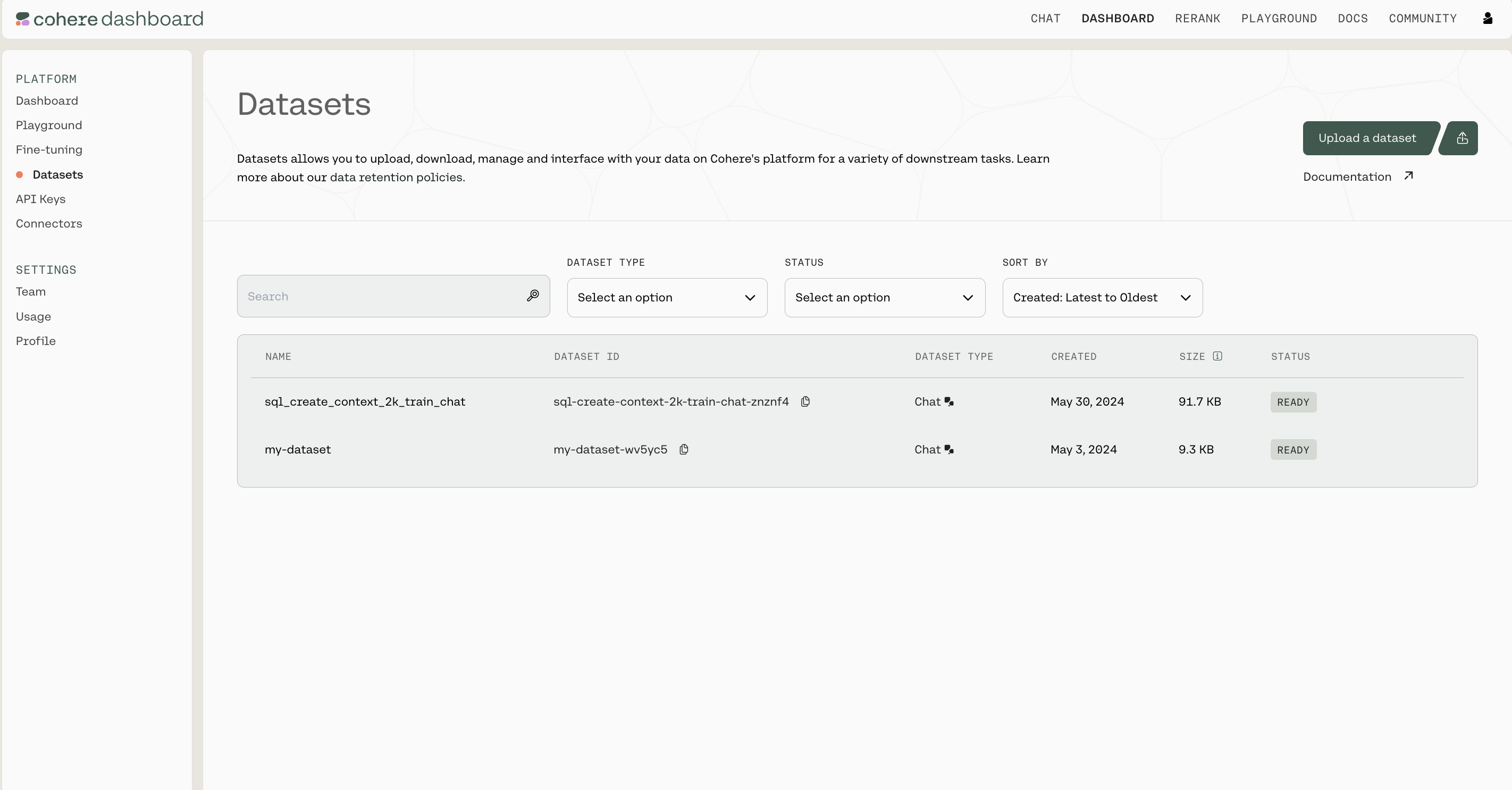
The Cohere platform allows you to upload and manage datasets that can be used in batch embedding with Embedding Jobs. Datasets can be managed in the Dashboard or programmatically using the Datasets API.
File Size Limits
Section titled “File Size Limits”There are certain limits to the files you can upload, specifically:
- A Dataset can be as large as 1.5GB
- Organizations have up to 10GB of storage across all their users
Retention
Section titled “Retention”You should also be aware of how Cohere handles data retention. This is the most important context:
- Datasets get deleted 30 days after creation
- You can also manually delete a dataset in the Dashboard UI or using the Datasets API
Managing Datasets using the Python SDK
Section titled “Managing Datasets using the Python SDK”Getting Set up
Section titled “Getting Set up”First, let's install the SDK
pip install cohereImport dependencies and set up the Cohere client.
import cohere

co = cohere.Client(api_key="Your API key")
(All the rest of the examples on this page will be in Python, but you can find more detailed instructions for getting set up by checking out the Github repositories for Python, Typescript, and Go.)
Dataset Creation
Section titled “Dataset Creation”Datasets are created by uploading files, specifying both a name for the dataset and the dataset type.
The file extension and file contents have to match the requirements for the selected dataset type. See the table below to learn more about the supported dataset types.
The dataset name is useful when browsing the datasets you've uploaded. In addition to its name, each dataset will also be assigned a unique id when it's created.
Here is an example code snippet illustrating the process of creating a dataset, with both the name and the dataset type specified.
my_dataset = co.datasets.create(
    name="shakespeare",
    data=open("./shakespeare.jsonl", "rb"),
    type="embed-input",
)

print(my_dataset.id)
Dataset Validation
Section titled “Dataset Validation”Whenever a dataset is created, the data is validated asynchronously against the rules for the specified dataset type . This validation is kicked off automatically on the backend, and must be completed before a dataset can be used with other endpoints.
Here's a code snippet showing how to check the validation status of a dataset you've created.
ds = co.wait(my_dataset)
print(ds.dataset.validation_status)
To help you interpret the results, here's a table specifying all the possible API error messages and what they mean:
| Error Code | Endpoint | Error Explanation | Actions Required |
|---|---|---|---|
| 400 | Create | The name parameter must be set. | Set a name parameter. |
| 400 | Create | The type parameter must be set. | Set a type parameter. |
| 400 | Create | The dataset type is invalid. | Set the type parameter to a supported type. |
| 400 | Create | You have exceeded capacity. | Delete unused datasets to free up space. |
| 400 | Create | You have used an invalid csv delimiter. | The csv delimiter must be one character long. |
| 400 | Create | The name must be less than 50 characters long. | Shorten your dataset name. |
| 400 | Create | You used an invalid parameter for part: %v use file or an evaluation file. | The file parameters must be a named file or an evaluation file. |
| 499 | Create | The upload connection was closed. | Don't cancel the upload request. |
| Validation | The required field was not fund in the dataset (line: ) | You are missing a required field, which must be supplied. | |
| Validation | Custom validation rules per type | There should be enough context in the validation error message to fix the dataset. | |
| Validation | csv files must have a header with the required fields: [, , ...]. | Fix your csv file to have a 'headers' row with the required field names. | |
| 404 | Get | The dataset with id '' was not found. | Make sure you're passing in the right id. |
Dataset Metadata Preservation
Section titled “Dataset Metadata Preservation”The Dataset API will preserve metadata if specified at time of upload. During the create dataset step, you can specify either keep_fields or optional_fields which are a list of strings which correspond to the field of the metadata you’d like to preserve. keep_fields is more restrictive, where if the field is missing from an entry, the dataset will fail validation whereas optional_fields will skip empty fields and validation will still pass.
Sample Dataset Input Format
Section titled “Sample Dataset Input Format”{"wiki_id": 69407798, "url": "https://en.wikipedia.org/wiki?curid=69407798", "views": 5674.4492597435465, "langs": 38, "title": "Deaths in 2022", "text": "The following notable deaths occurred in 2022. Names are reported under the date of death, in alphabetical order. A typical entry reports information in the following sequence:", "paragraph_id": 0, "id": 0}
{"wiki_id": 3524766, "url": "https://en.wikipedia.org/wiki?curid=3524766", "views": 5409.5609619796405, "title": "YouTube", "text": "YouTube is a global online video sharing and social media platform headquartered in San Bruno, California. It was launched on February 14, 2005, by Steve Chen, Chad Hurley, and Jawed Karim. It is owned by Google, and is the second most visited website, after Google Search. YouTube has more than 2.5 billion monthly users who collectively watch more than one billion hours of videos each day. , videos were being uploaded at a rate of more than 500 hours of content per minute.", "paragraph_id": 0, "id": 1}As seen in the above example, the following would be a valid create_dataset call since langs is in the first entry but not in the second entry. The fields wiki_id, url, views and title are present in both JSONs.
# Upload a dataset for embed jobs
ds = co.datasets.create(
    name="sample_file",
    # insert your file path here - you can upload it on the right - we accept .csv and jsonl files
    data=open("embed_jobs_sample_data.jsonl", "rb"),
    keep_fields=["wiki_id", "url", "views", "title"],
    optional_fields=["langs"],
    type="embed-input",
)

# wait for the dataset to finish validation
print(co.wait(ds))
Dataset Types
Section titled “Dataset Types”When a dataset is created, the type field must be specified in order to indicate the type of tasks this dataset is meant for.
The following table describes the types of datasets supported by the Dataset API:
Supported Dataset Types
Section titled “Supported Dataset Types”| Dataset Type | Description | Schema | Rules | Task Type | Status | File Types Supported | Are Metadata Fields Supported? | Sample File |
|---|---|---|---|---|---|---|---|---|
embed-input |
A file containing text to be embedded | text:string |
None of the rows in the file can be empty. | Embed job | Supported | csv and jsonl |
Yes | embed_jobs_sample_data.jsonl / embed_jobs_sample_data.csv |
Downloading a dataset
Section titled “Downloading a dataset”Datasets can be fetched using its unique id. Note that the dataset name and id are different from each other; names can be duplicated, while ids cannot.
Here is an example code snippet showing how to fetch a dataset by its unique id.
# fetch the dataset by ID
my_dataset_response = co.datasets.get(id="<DATASET_ID>")
my_dataset = my_dataset_response.dataset

# print each entry in the dataset
for record in my_dataset:
    print(record)

# save the dataset as jsonl
co.utils.save_dataset(
    dataset=my_dataset, filepath="./path/to/new/file.jsonl"
)
# or save the dataset as csv
co.utils.save_dataset(
    dataset=my_dataset, filepath="./path/to/new/file.csv"
)
Deleting a dataset
Section titled “Deleting a dataset”Datasets are automatically deleted after 30 days, but they can also be deleted manually. Here's a code snippet showing how to do that:
co.datasets.delete(id="<DATASET_ID>")