

Unlocking the Power of Multimodal Embeddings
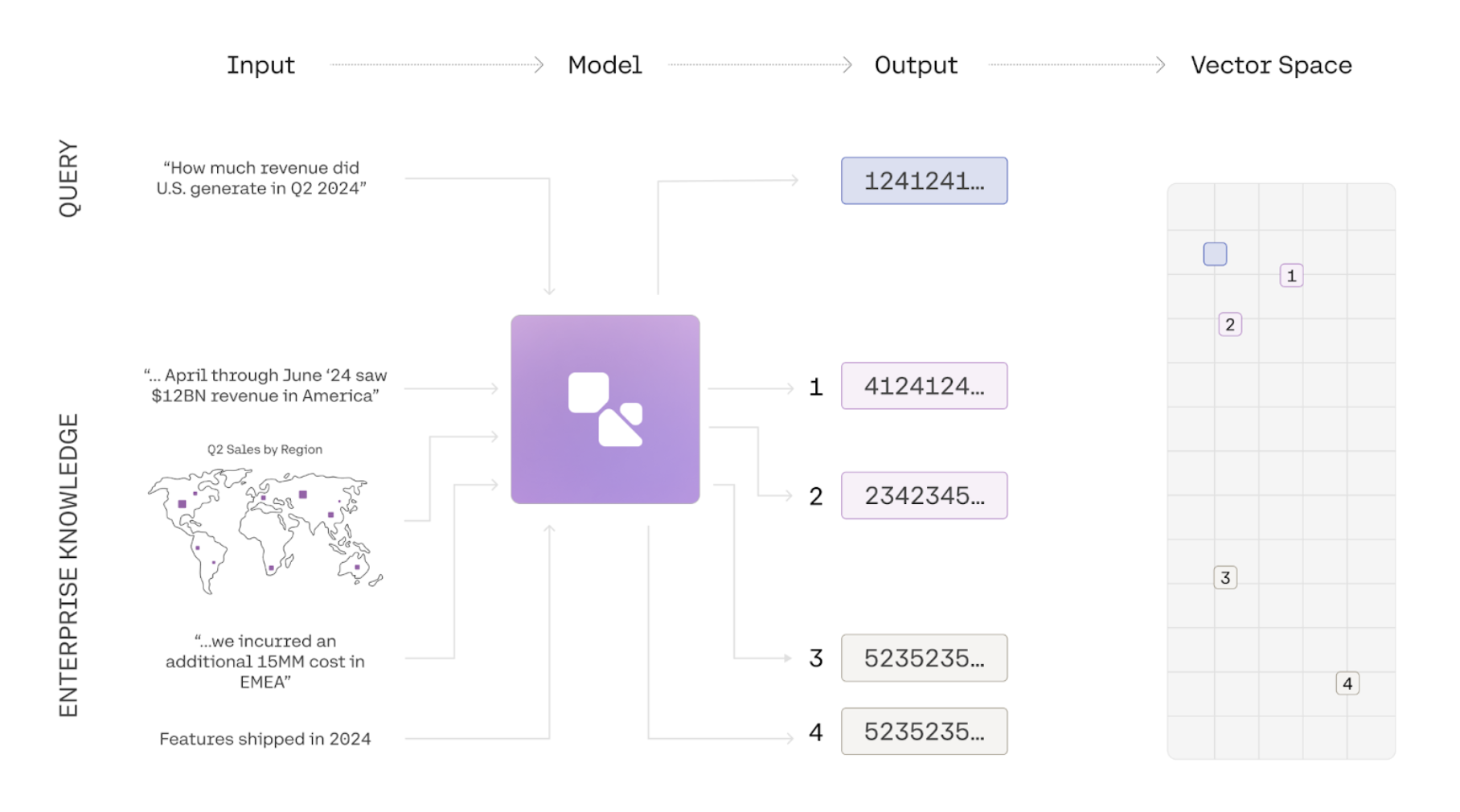
In this guide, we show you how to use the embed endpoint to embed a series of images. This guide uses a simple dataset of graphs to illustrate how semantic search can be done over images with Cohere. To see an end-to-end example of retrieval, check out this notebook.
Introduction to Multimodal Embeddings
Section titled “Introduction to Multimodal Embeddings”Information is often represented in multiple modalities. A document, for instance, may contain text, images, and graphs, while a product can be described through images, its title, and a written description. This combination of elements often leads to a comprehensive semantic understanding of the subject matter. Traditional embedding models have been limited to a single modality, and even multimodal embedding models often suffer from degradation in text-to-text or text-to-image retrieval tasks. embed-v4.0 and the embed-v3.0 series of models, however, are fully multimodal, enabling them to embed both images and text effectively. We have achieved state-of-the-art performance without compromising text-to-text retrieval capabilities.
How to use Multimodal Embeddings
Section titled “How to use Multimodal Embeddings”1. Prepare your Image for Embeddings
Section titled “1. Prepare your Image for Embeddings”# Import the necessary packages
import os
import base64
# Defining the function to convert an image to a base 64 Data URL
def image_to_base64_data_url(image_path):
_, file_extension = os.path.splitext(image_path)
file_type = file_extension[1:]
with open(image_path, "rb") as f:
enc_img = base64.b64encode(f.read()).decode("utf-8")
enc_img = f"data:image/{file_type};base64,{enc_img}"
return enc_img
image_path = "<YOUR IMAGE PATH>"
base64_url = image_to_base64_data_url(image_path)2. Call the Embed Endpoint
Section titled “2. Call the Embed Endpoint”# Import the necessary packages
import cohere
co = cohere.ClientV2(api_key="<YOUR API KEY>")
# format the input_object
image_input = {
"content": [
{"type": "image_url", "image_url": {"url": base64_url}}
]
}
co.embed(
model="embed-v4.0",
inputs=[image_input],
input_type="search_document",
embedding_types=["float"],
)curl --request POST \
--url https://api.cohere.ai/v2/embed \
--header 'accept: application/json' \
--header 'content-type: application/json' \
--header "Authorization: bearer $CO_API_KEY" \
--data '{
"model": "embed-v4.0",
"inputs": [
{
"content": [
{
"type": "image_url",
"image_url": {
"url": "data:image/jpeg;base64,/9j/4AAQSkZJRgABAQEAYABgAAD..."
}
}
]
}
],
"input_type": "search_document",
"embedding_types": ["float"]
}'Sample Output
Section titled “Sample Output”Below is a sample of what the output would look like if you passed in a jpeg with original dimensions of 1080x1350 with a standard bit-depth of 24.
{
    "id": "d8f2b461-79a4-44ee-82e4-be601bbb07be",
    "embeddings": {
        "float_": [[-0.025604248, 0.0154418945, ...]],
        "int8": null,
        "uint8": null,
        "binary": null,
        "ubinary": null,
    },
    "texts": [],
    "meta": {
        "api_version": {"version": "2", "is_deprecated": null, "is_experimental": null},
        "billed_units": {
            "input_tokens": null,
            "output_tokens": null,
            "search_units": null,
            "classifications": null,
            "images": 1,
        },
        "tokens": null,
        "warnings": null,
    },
    "images": [{"width": 1080, "height": 1080, "format": "jpeg", "bit_depth": 24}],
    "response_type": "embeddings_by_type",
}