

Text Classification (Classify)
In this section, we show how to use the Classify endpoint to do sentiment classification for the kind of customer satisfaction survey responses an e-commerce website may receive.
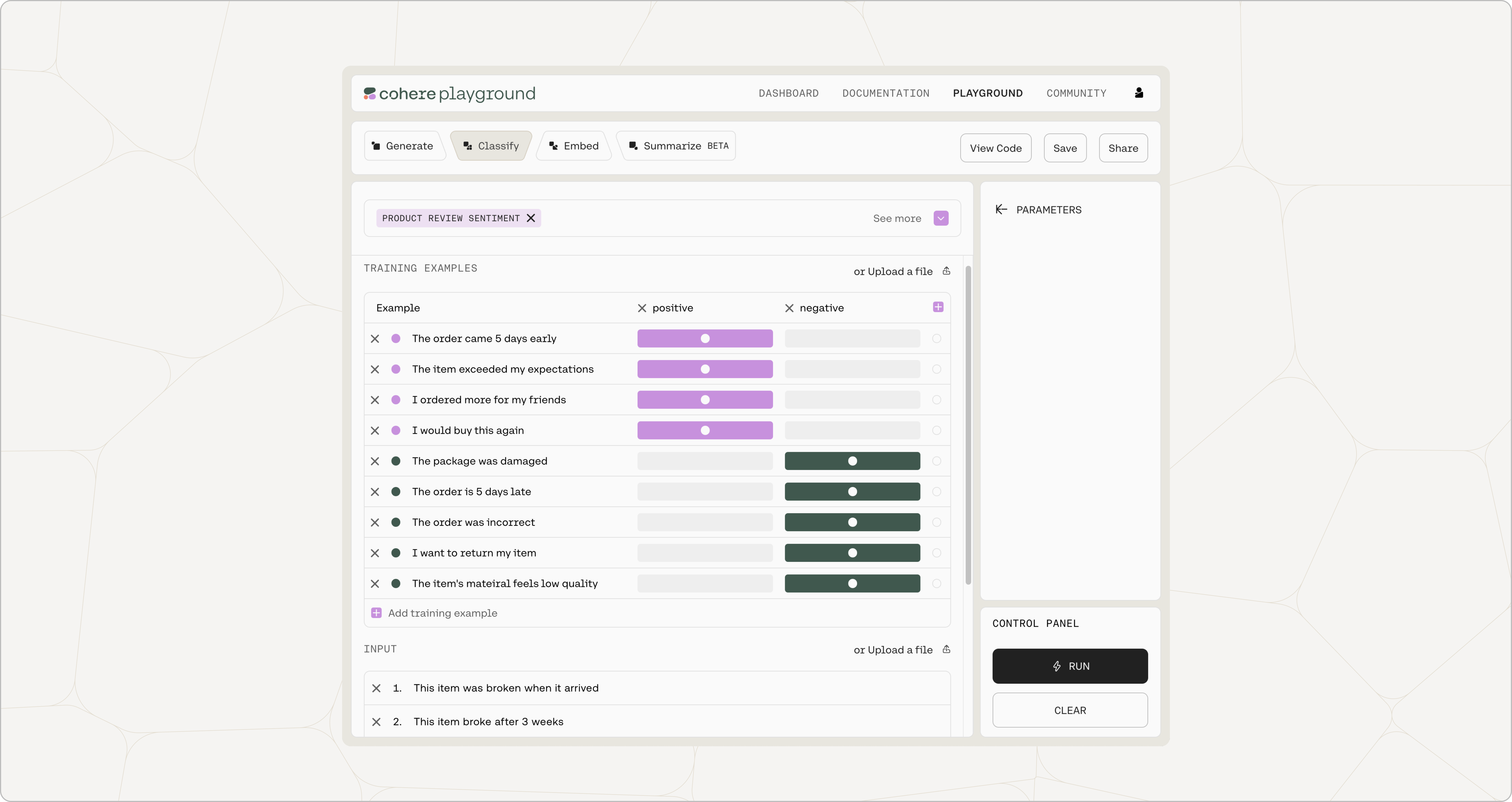 ## The Problem We Want to Solve
For this demo, let's assume that we want to classify a set of reviews for a newly-released feature into positive and negative classes. We might for instance have a review like this:
The item exceeded my expectations
that we want to classify as a positive review.
Naturally, the same techniques that we'll use for this problem can be used for any other task where we want to classify a given text according to a fixed set of classes.
Using Classify For Our Task
Section titled “Using Classify For Our Task”Classify takes in example inputs with their labels, as well as the input texts we aim to classify. It then trains a classifier using the power of an embeddings model.
You can either do this with our baseline classification model (described in the next few sections), or you can train a custom classification model for better performance (described in the final section).
Examples
Section titled “Examples”Labeled examples are used to demonstrate the classification task to the model. Examples provide two important pieces of information:
- The inputs and expected outputs for the task we're interested in.
- The number of output classes. Every class should appear in at least one example in the labeled examples.
In this case we will be passing in the following examples: