

REMOVE The Embed Endpoint
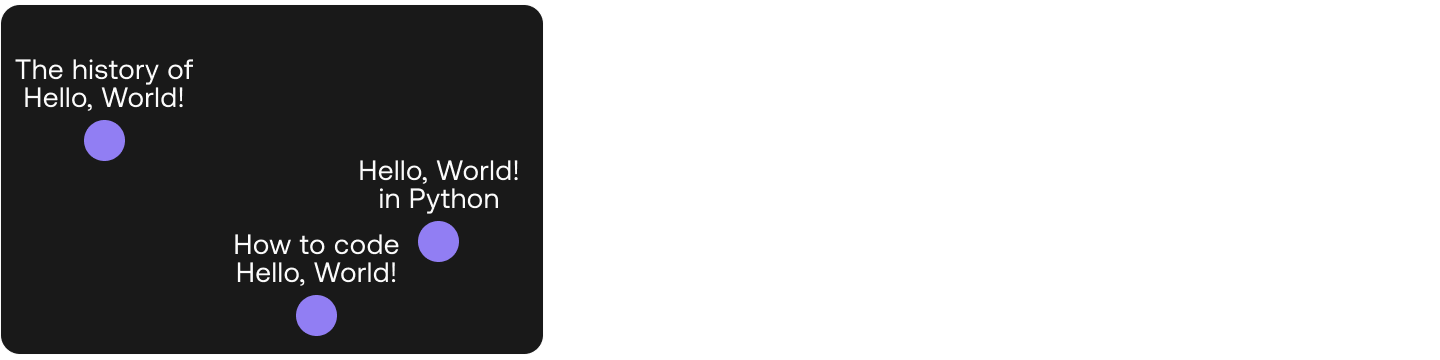 In this chapter, you'll learn how to analyze text. The main ingredient of this chapter is embeddings, which as you learned in Module 2, are the bread and butter of Large Language Models. We'll use Cohere's Embed endpoint to obtain embedding vectors for a dataset of questions.After this, we'll undertake a very important task:
- Semantic Exploration: Using embeddings and a mapping tool, now you'll plot a dataset of web queries in the plane, and be able to observe graphically that indeed similar sentences are mapped to close points in the embedding.
Codelab
Section titled “Codelab”This chapter comes with a corresponding codelab, and we encourage you to follow it along as you read the chapter.
For the setup, please refer to the Setting Up chapter at the beginning of this module.
Introduction
Section titled “Introduction”The next area in language understanding is a broad one, which is analyzing text. Cohere’s Embed endpoint takes a piece of text and turns it into a vector embedding. Embeddings represent text in the form of numbers that capture its meaning and context.
This gives you the ability to turn unstructured text data into a structured form. It opens up ways to analyze and extract insights from them. Let’s take a look at a couple of examples.
Semantic Exploration
Section titled “Semantic Exploration”Here we have a list of 50 top web search terms about Hello, World! taken from a keyword tool. The following are a few examples:
df = pd.read_csv("hello-world-kw.csv", names=["search_term"])
df.head()| Keyword | |
|---|---|
| 0 | how to print hello world in python |
| 1 | what is hello world |
| 2 | how do you write hello world in an alert box |
| 3 | how to print hello world in java |
| 4 | how to write hello world in eclipse |
We used the large endpoint to generate the embeddings. At the time of writing, this model generates embeddings of 4,096 dimensions. This means, for every piece of text passed to the Embed endpoint, a sequence of 4,096 numbers will be generated. Each number represents a piece of information about the meaning contained in that piece of text.
To understand what these numbers represent, there are techniques we can use to compress the embeddings down to just two dimensions while retaining as much information as possible. And once we can get it down to two dimensions, we can plot these embeddings on a 2D plot.
We can make use of the UMAP technique to do this. The code is as follows:
import umap

# Compress the embeddings to 2 dimensions (UMAP’s default reduction is to 2 dimensions)
reducer = umap.UMAP(n_neighbors=49)
umap_embeds = reducer.fit_transform(embeds)

# Store the compressed embeddings in the dataframe/table
df['x'] = umap_embeds[:,0]
df['y'] = umap_embeds[:,1]
You can then use any plotting library to visualize these compressed embeddings on a 2D plot.
Here is the plot showing all 50 data points:
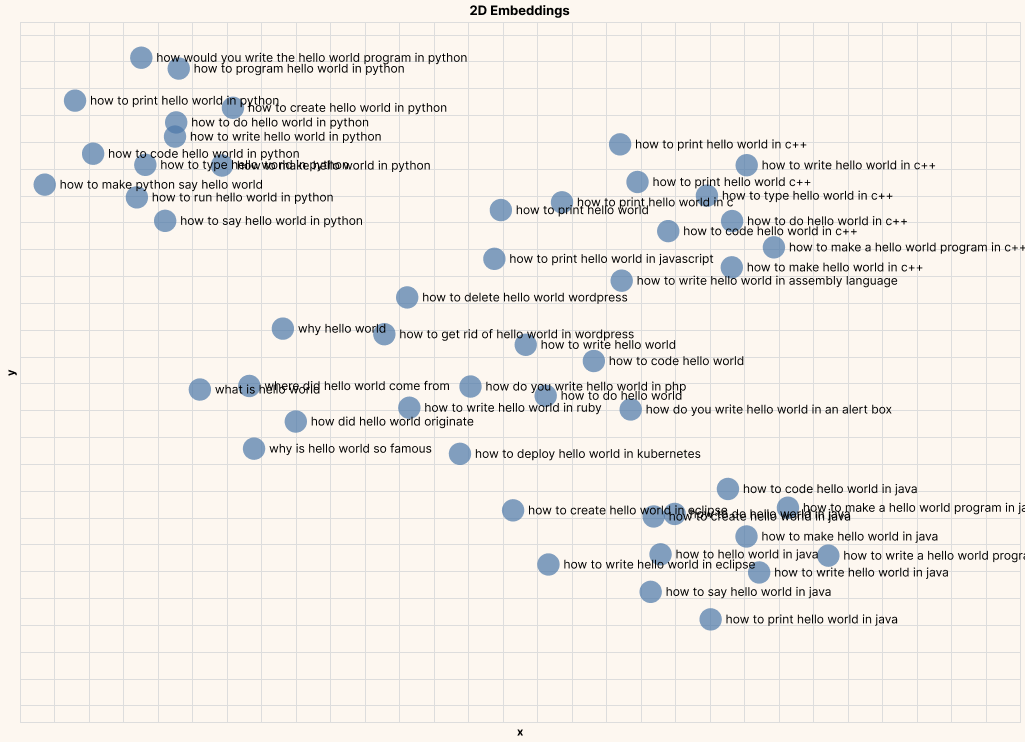
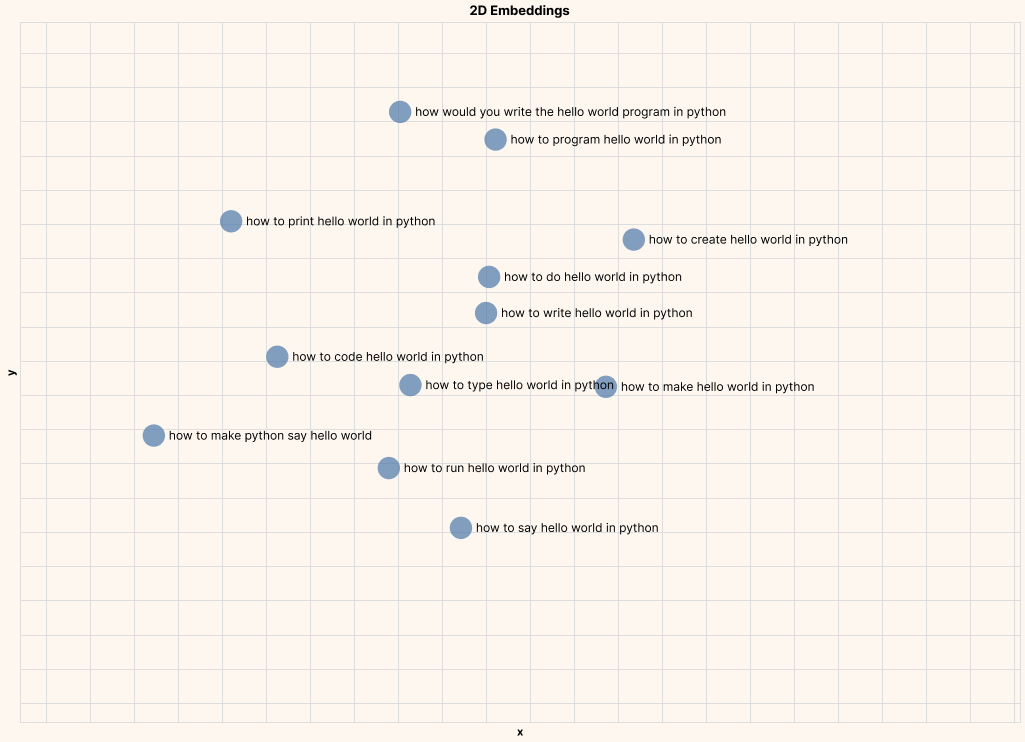
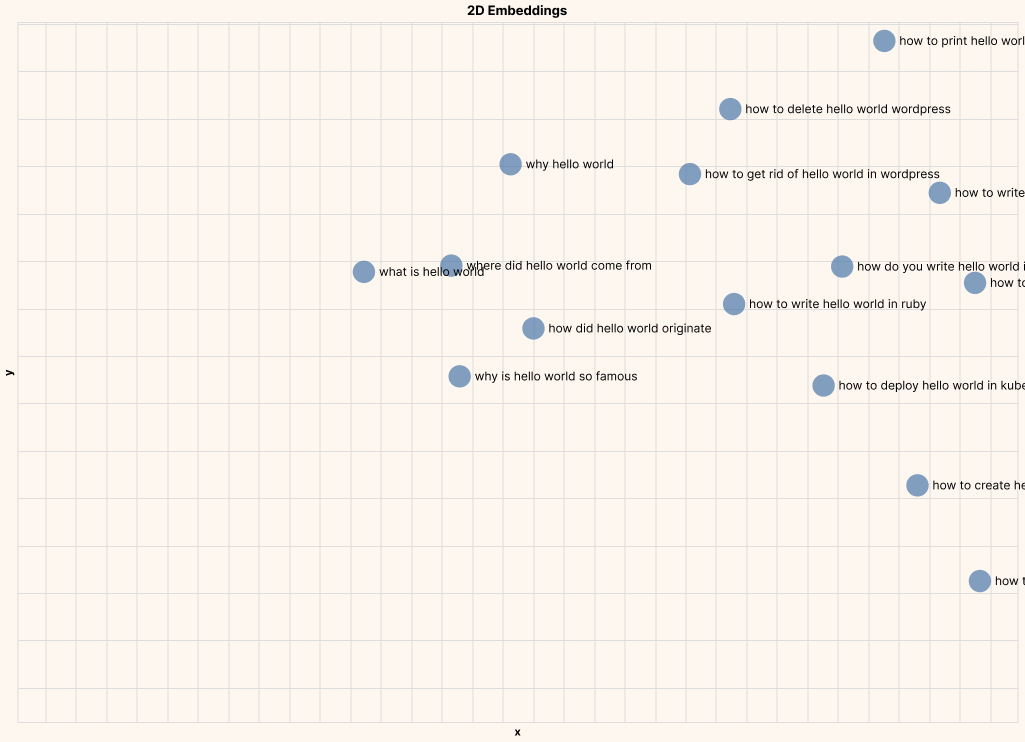
And here are a few zoomed in plots, clearly showing text of similar meaning being closer to each other.
Example #1: Hello, World! In Python
Example #2: Origins of Hello, World!
These kinds of insights enable various downstream analysis and applications, such as topic modeling, by clustering documents into groups. In other words, text embeddings allows us to take a huge corpus of unstructured text and turn it into a structured form, making it possible to objectively compare, dissect, and derive insights from all that text.
If you’d like to learn more about text analysis, here are some additional resources:
- An example application: combing for insight in 10k Hacker News posts
- Intuition about text embeddings, explained visually
- Some use case ideas with text embeddings
- Embed endpoint API reference
Additionally, as you start working with larger input sizes, it’s worth reading the API reference of the three endpoints we have covered. For example, endpoints that accept a batch of inputs (Embed and Classify) have a maximum number of inputs per call. There’s also rate limits to be considered (limited or full access).
Conclusion
Section titled “Conclusion”In this chapter you learned how to use embeddings for a very important language AI tasks: analyzing text
The following table summarizes the two Endpoints that we have covered in the last two chapters.
| Classify | Embed | |
|---|---|---|
| Input | Examples and text to classify | Text to embed |
| Commonly used model settings | Model type | Model type (affects embedding size) |
| Output | Predicted classes and confidence values | Embeddings |