

A Deeper Dive Into Semantic Search
Colab Notebook
Section titled “Colab Notebook”This chapter comes with a corresponding Colab notebook, and we encourage you to follow it along as you read the chapter.
For the setup, please refer to the Setting Up chapter at the beginning of this module.
Introduction
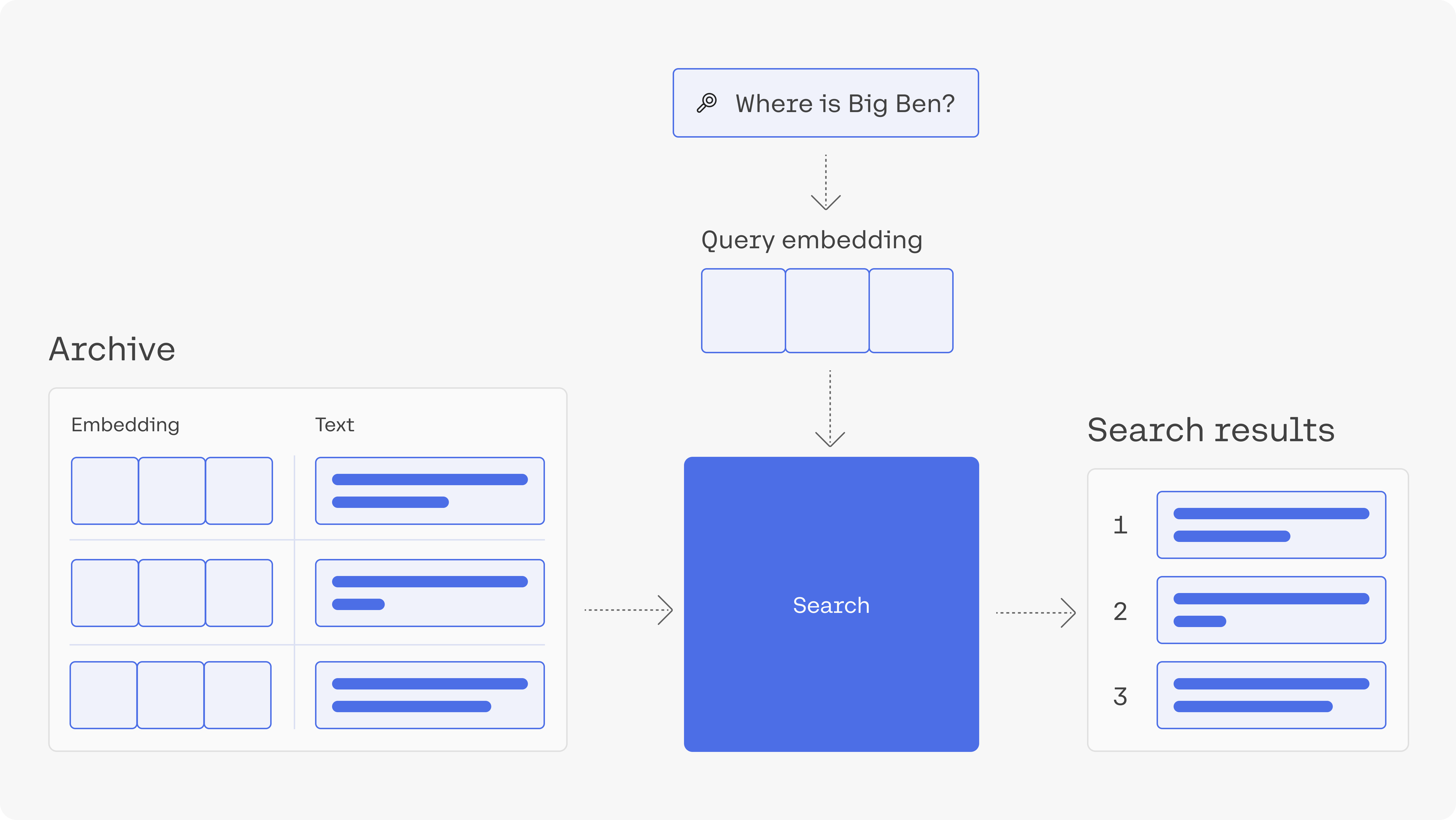
Section titled “Introduction”In module 2, you learned about semantic search, and then in a previous chapter in this module, you built a simple semantic search model using text embeddings. In this chapter, you'll build a similar semantic search model in a much larger dataset, which is made up of questions. Since the dataset is larger, we'll use a tool that will speed up the nearest neighbors algorithm here.
As you've seen before, semantic search goes way beyond keyword search. The applications of semantic search go beyond building a web search engine. They can empower a private search engine for internal documents or records. It can be used to power features like StackOverflow's "similar questions" feature.
 ### Contents
- Get the archive of questions
- Embed the archive
- Search using an index and nearest neighbour search
- Visualize the archive based on the embeddings.
1. Download the Dependencies
Section titled “1. Download the Dependencies”# title Import libraries (Run this cell to execute required code) {display-mode: "form"}
import cohere
import numpy as np
import re
import pandas as pd
from tqdm import tqdm
from datasets import load_dataset
import umap
import altair as alt
from sklearn.metrics.pairwise import cosine_similarity
from annoy import AnnoyIndex
import warnings
warnings.filterwarnings("ignore")
pd.set_option("display.max_colwidth", None)2. Get the Archive of Questions
Section titled “2. Get the Archive of Questions”We'll use the trec dataset which is made up of questions and their categories.
# Get dataset
dataset = load_dataset("trec", split="train")
# Import into a pandas dataframe, take only the first 1000 rows
df = pd.DataFrame(dataset)[:1000]
# Preview the data to ensure it has loaded correctly
df.head(10)| label-coarse | label-fine | text |
|---|---|---|
| 0 | 0 | How did serfdom develop in and then leave Russia ? |
| 1 | 1 | What films featured the character Popeye Doyle ? |
| 2 | 2 | How can I find a list of celebrities ' real names ? |
| 3 | 3 | What fowl grabs the spotlight after the Chinese Year of the Monkey ? |
| 4 | 4 | What is the full form of .com ? |
| 5 | 5 | What contemptible scoundrel stole the cork from my lunch ? |
| 6 | 6 | What team did baseball 's St. Louis Browns become ? |
| 7 | 7 | What is the oldest profession ? |
| 8 | 8 | What are liver enzymes ? |
| 9 | 9 | Name the scar-faced bounty hunter of The Old West . |
3. Embed the Archive
Section titled “3. Embed the Archive”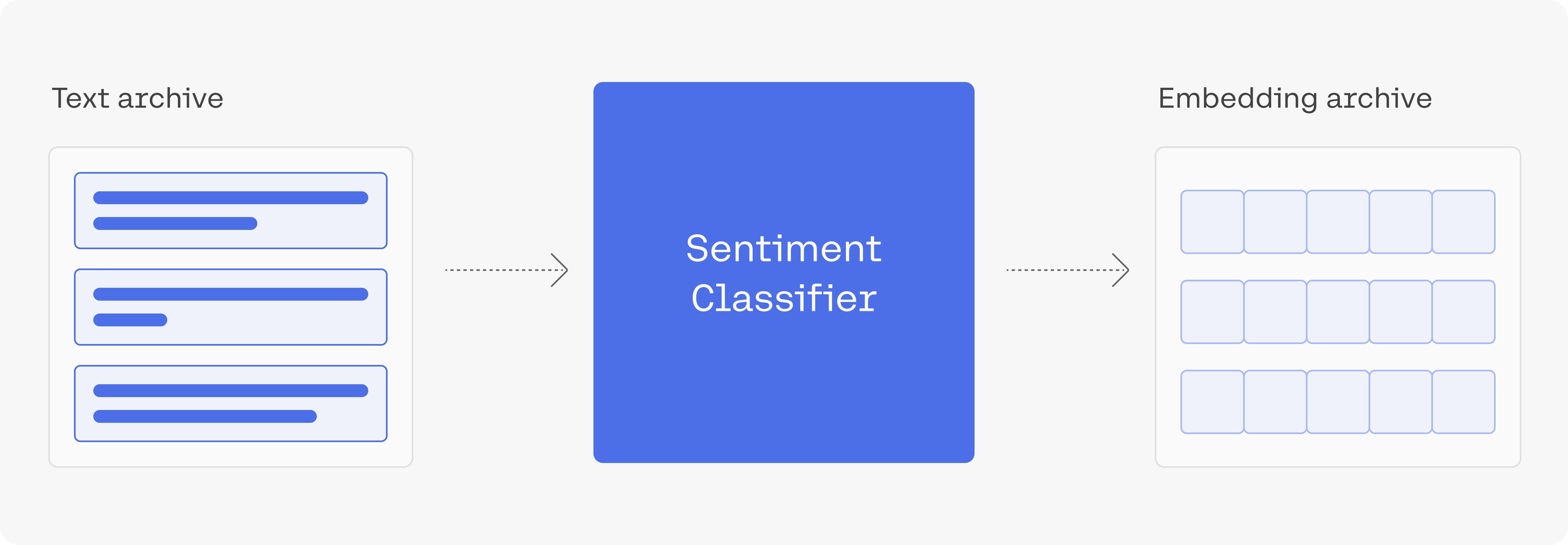
Let's now embed the text of the questions.
To get a thousand embeddings of this length should take a few seconds.
# Paste your API key here. Remember to not share publicly
api_key = ""

# Create and retrieve a Cohere API key from dashboard.cohere.ai/welcome/register
co = cohere.Client(api_key)

# Get the embeddings
embeds = co.embed(
    texts=list(df["text"]),
    model="embed-english-v3.0",
    input_type="search_document",
).embeddings
4. Build the Index, search Using an Index and Conduct Nearest Neighbour Search
Section titled “4. Build the Index, search Using an Index and Conduct Nearest Neighbour Search”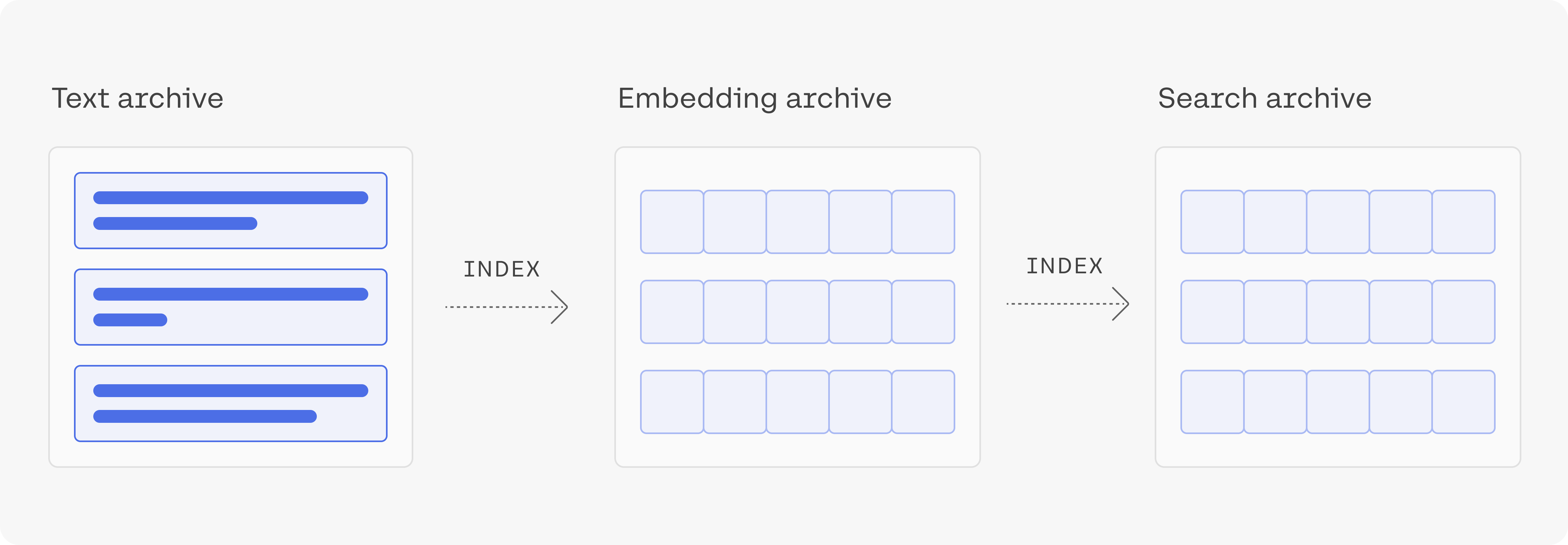
Let's build an index using the library called annoy. Annoy is a library created by Spotify to do nearest neighbour search; nearest neighbour search is an optimization problem of finding the point in a given set that is closest (or most similar) to a given point.
# Create the search index, pass the size of embedding
search_index = AnnoyIndex(np.array(embeds).shape[1], "angular")
# Add all the vectors to the search index
for i in range(len(embeds)):
    search_index.add_item(i, embeds[i])
search_index.build(10)  # 10 trees
search_index.save("test.ann")
After building the index, we can use it to retrieve the nearest neighbours either of existing questions (section 3.1), or of new questions that we embed (section 3.2).
4a. Find the Neighbours of an Example from the Dataset
Section titled “4a. Find the Neighbours of an Example from the Dataset”If we're only interested in measuring the similarities between the questions in the dataset (no outside queries), a simple way is to calculate the similarities between every pair of embeddings we have.
# Choose an example (we'll retrieve others similar to it)
example_id = 92
# Retrieve nearest neighbors
similar_item_ids = search_index.get_nns_by_item(
    example_id, 10, include_distances=True
)
# Format and print the text and distances
results = pd.DataFrame(
    data={
        "texts": df.iloc[similar_item_ids[0]]["text"],
        "distance": similar_item_ids[1],
    }
).drop(example_id)
print(f"Question:'{df.iloc[example_id]['text']}'\nNearest neighbors:")
results# Output:
"Question:'What are bear and bull markets ?'"
"Nearest neighbors:"| texts | distance | |
|---|---|---|
| 614 | What animals do you find in the stock market ? | 0.896121 |
| 137 | What are equity securities ? | 0.970260 |
| 601 | What is `` the bear of beers '' ? | 0.978348 |
| 307 | What does NASDAQ stand for ? | 0.997819 |
| 683 | What is the rarest coin ? | 1.027727 |
| 112 | What are the world 's four oceans ? | 1.049661 |
| 864 | When did the Dow first reach ? | 1.050362 |
| 547 | Where can stocks be traded on-line ? | 1.053685 |
| 871 | What are the Benelux countries ? | 1.054899 |
4b. Find the Neighbours of a User Query
Section titled “4b. Find the Neighbours of a User Query”We're not limited to searching using existing items. If we get a query, we can embed it and find its nearest neighbours from the dataset.
query = "What is the tallest mountain in the world?"

# Get the query's embedding
query_embed = co.embed(
    texts=[query],
    model="embed-english-v3.0",
    input_type="search_query",
).embeddings

# Retrieve the nearest neighbors
similar_item_ids = search_index.get_nns_by_vector(
    query_embed[0], 10, include_distances=True
)
# Format the results
results = pd.DataFrame(
    data={
        "texts": df.iloc[similar_item_ids[0]]["text"],
        "distance": similar_item_ids[1],
    }
)


print(f"Query:'{query}'\nNearest neighbors:")
results| texts | distance | |
|---|---|---|
| 236 | What is the name of the tallest mountain in the world ? | 0.431913 |
| 670 | What is the highest mountain in the world ? | 0.436290 |
| 907 | What mountain range is traversed by the highest railroad in the world ? | 0.715265 |
| 435 | What is the highest peak in Africa ? | 0.717943 |
| 354 | What ocean is the largest in the world ? | 0.762917 |
| 412 | What was the highest mountain on earth before Mount Everest was discovered ? | 0.767649 |
| 109 | Where is the highest point in Japan ? | 0.784319 |
| 114 | What is the largest snake in the world ? | 0.789743 |
| 656 | What 's the tallest building in New York City ? | 0.793982 |
| 901 | What 's the longest river in the world ? | 0.794352 |
5. Visualize the archive
Section titled “5. Visualize the archive”# @title Plot the archive {display-mode: "form"}
# UMAP reduces the dimensions from 1024 to 2 dimensions that we can plot
reducer = umap.UMAP(n_neighbors=20)
umap_embeds = reducer.fit_transform(embeds)
# Prepare the data to plot and interactive visualization
# using Altair
df_explore = pd.DataFrame(data={"text": df["text"]})
df_explore["x"] = umap_embeds[:, 0]
df_explore["y"] = umap_embeds[:, 1]
# Plot
chart = (
alt.Chart(df_explore)
.mark_circle(size=60)
.encode(
x=alt.X("x", scale=alt.Scale(zero=False)), #'x',
y=alt.Y("y", scale=alt.Scale(zero=False)),
tooltip=["text"],
)
.properties(width=700, height=400)
)
chart.interactive()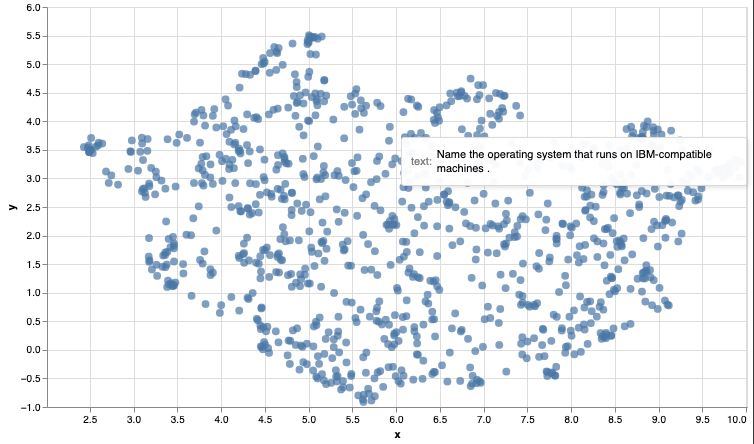
Conclusion
Section titled “Conclusion”This concludes this introductory guide to semantic search using sentence embeddings. As you continue the path of building a search product additional considerations arise (like dealing with long texts, or training to better improve the embeddings for a specific use case).
Original Source
Section titled “Original Source”This material comes from the post Semantic Search